
Dispatch with context.
Use a day board, calendar and route sheets. Assign drivers, review instructions and open directions. Transfer eligible fulfillment between locations with the appropriate access.
Out the door
Coordinate daily stops and drivers, then keep the details of the delivery with the order.
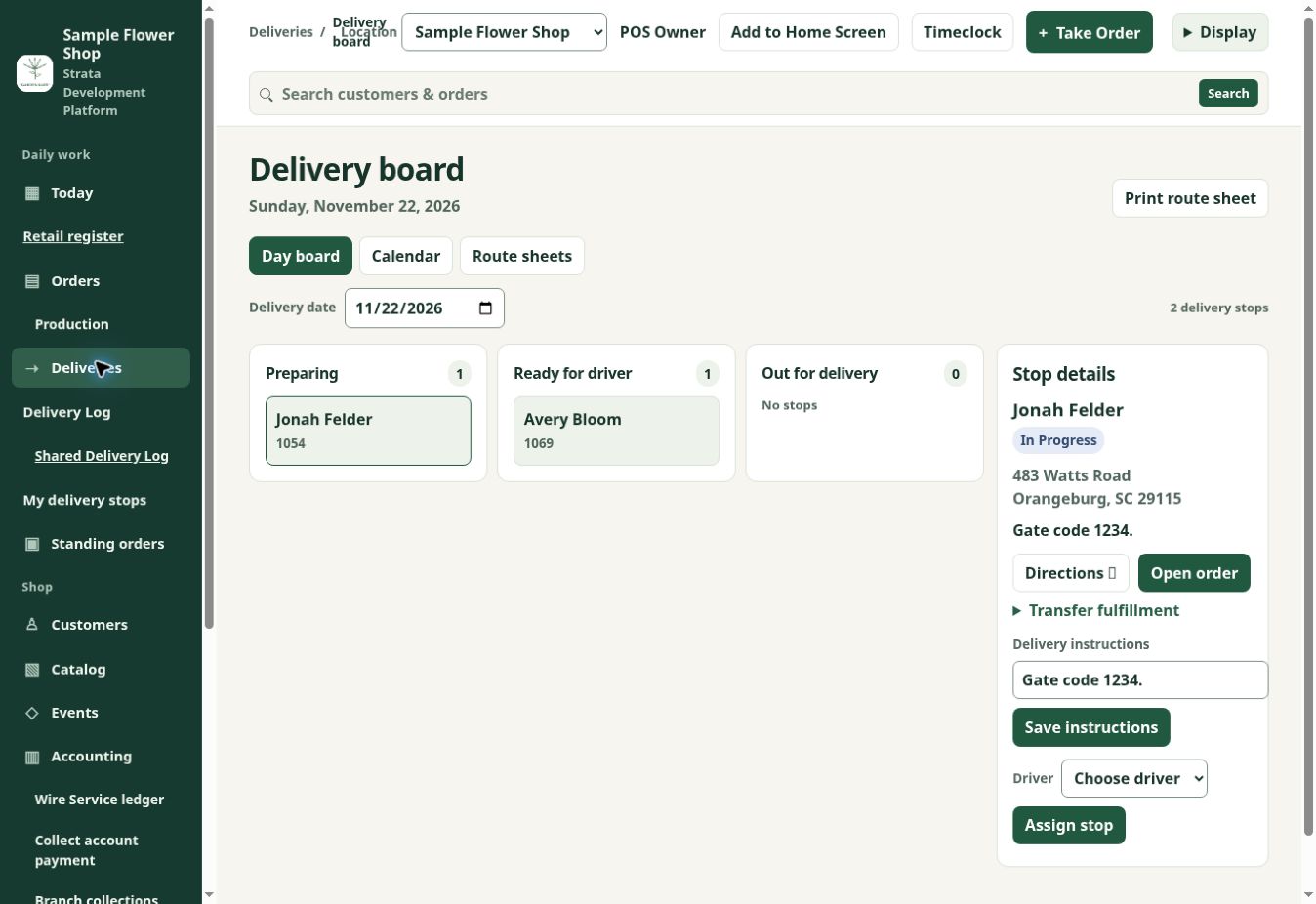
Use a day board, calendar and route sheets. Assign drivers, review instructions and open directions. Transfer eligible fulfillment between locations with the appropriate access.
Drivers open their assignments through the delivery web app. Record received-by details, notes, actual miles and optional photos or signatures. Device location sharing is required for mobile proof submission.
All signed-in POS users can review the combined Delivery Log. Branded one-page reports include collected proof, captured device position when available and a link to the actual ticket. Paper deliveries can be linked later.
After the doorstep
The sample below is an actual demo report. It shows a linked ticket and collected proof. Missing signature or location information is labeled honestly.
How delivery reports work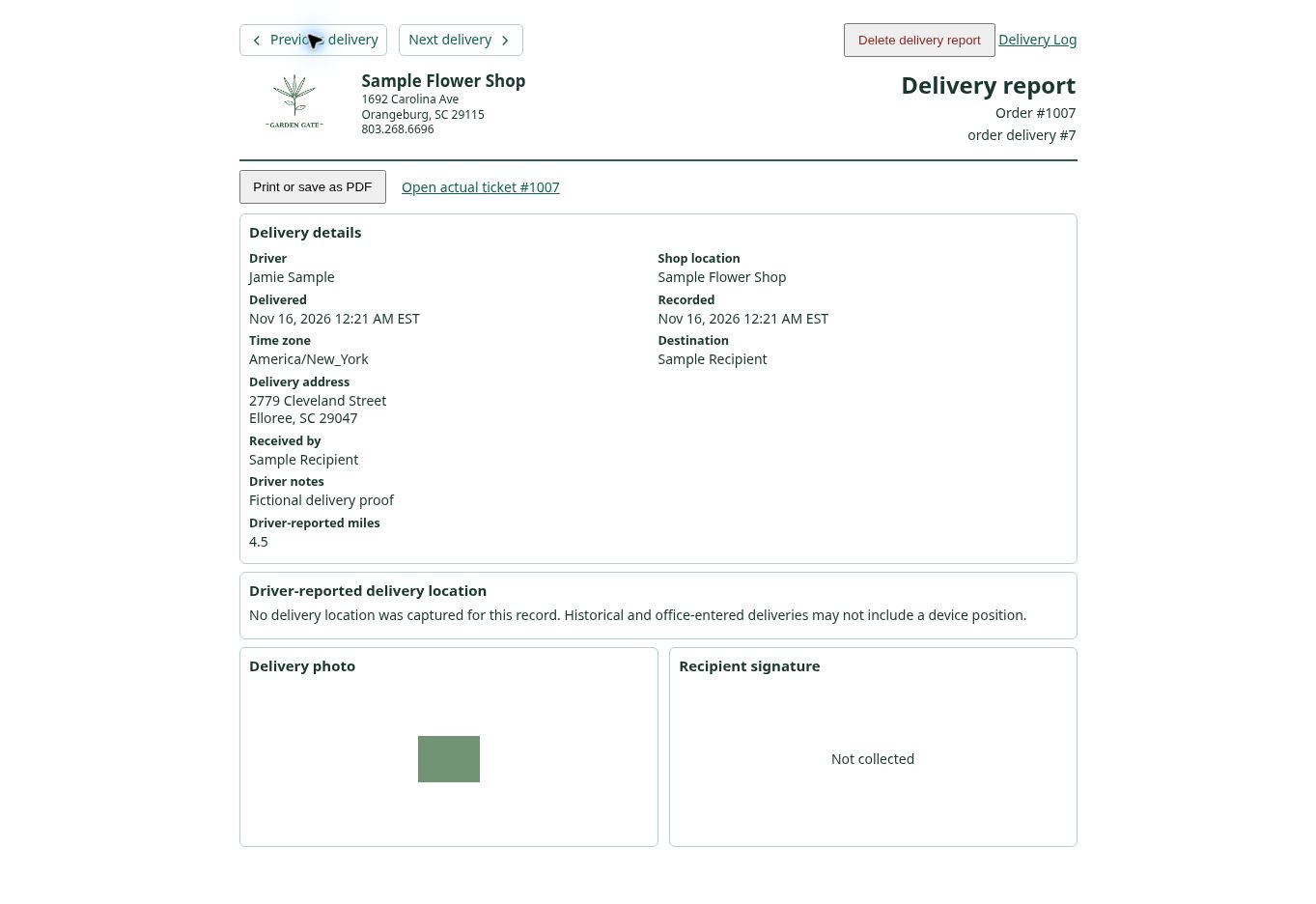
Come on in
Try an order in the sample shop. See how it feels, then talk with us about your own.