
Try a working shop
Take a look behind the counter.
The public demo is a real POS with fictional customers, arrangements, invoices, event proposals and timecards. Explore it as a customer of the product would.
A useful first visit
- Choose a sample role. Use the owner, staff, driver or timeclock account shown on the demo sign-in page. Menus vary by access.
- Open the register. Type an arrangement, browse products and inspect the receipt. Try a customer/recipient lookup and the touch keyboard.
- Follow a ticket. Browse Orders, open a sample ticket, inspect its details and look at the Delivery board.
- Visit the office. Explore open accounts, reports, event proposals and the weekly timeclock grid.
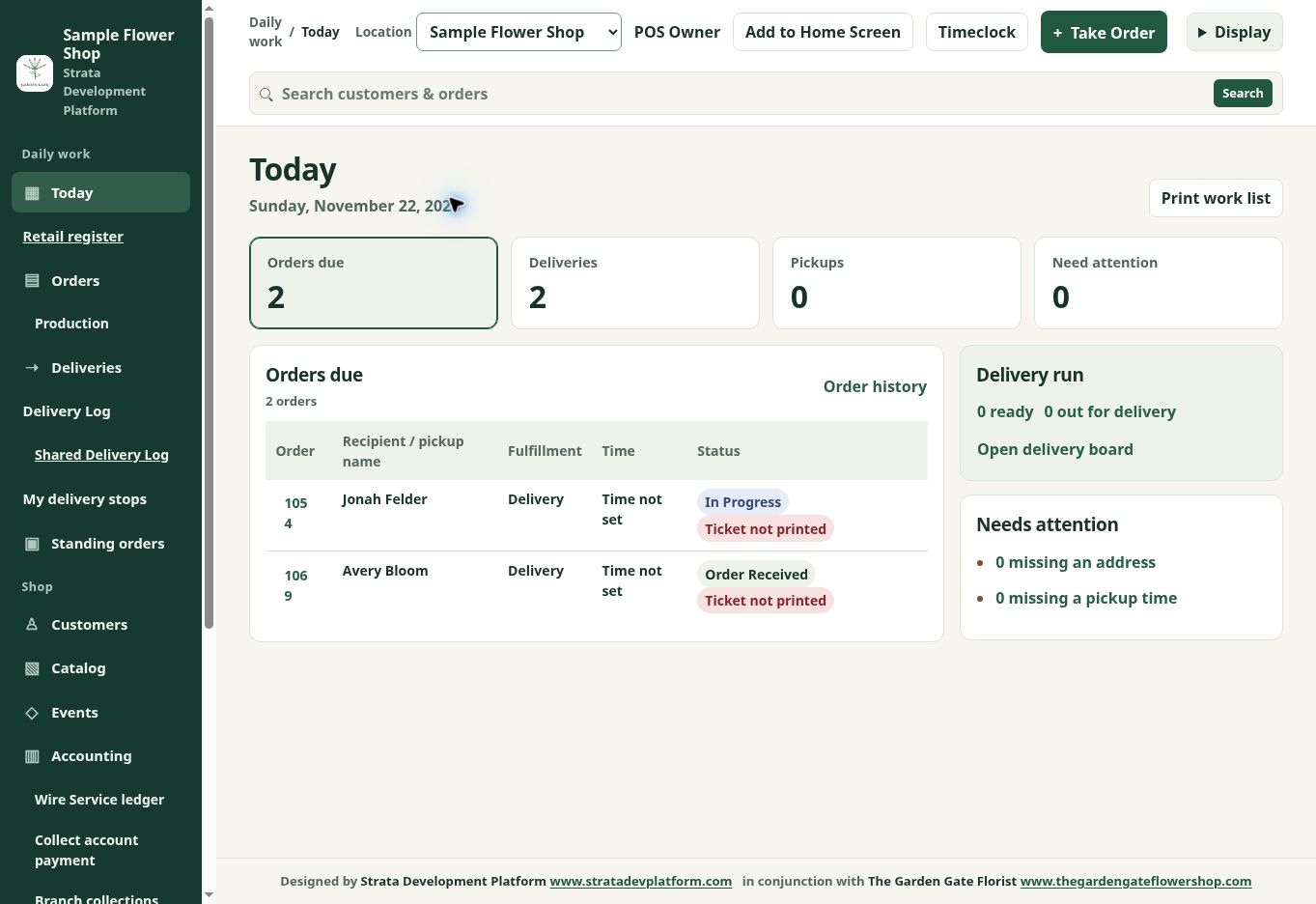
What the screenshots show
Captured directly from this demo on November 22, 2026. We added a fictional seasonal order and paper delivery, and filled an unsaved register cart. Existing sample records supply customers, accounts, events, FSN test orders and timecards. Screens are not redesigned mockups.
These captures show POS build 2e2d0de; the live demo may have a newer build. Integrations, missing proof and unverified historical examples are shown as the application reports them; a screenshot is not evidence of a completed external payment or live provider send.
Come on in
Take a look behind the counter.
Try an order in the sample shop. See how it feels, then talk with us about your own.