
Connected floristry
FSN & wire-outs
Review incoming FSN orders, route outgoing work and give designers the provider reference when it is available.
Explore fsn & wire-outs
Made for the
everyday flower shop.
Built alongside working florists
Florist point of sale for orders, deliveries and House Accounts, all together.
A browser-based alpha. Self-hosted or cloud hosted.
One connected working day
A familiar rhythm, with the details kept together. Take a tour of the real POS screens behind the work.
At the counter
Type an arrangement, scan a SKU or browse the catalog. Keep the items, discounts and totals beside the checkout controls, with a keyboard made for touch.
Explore this workflow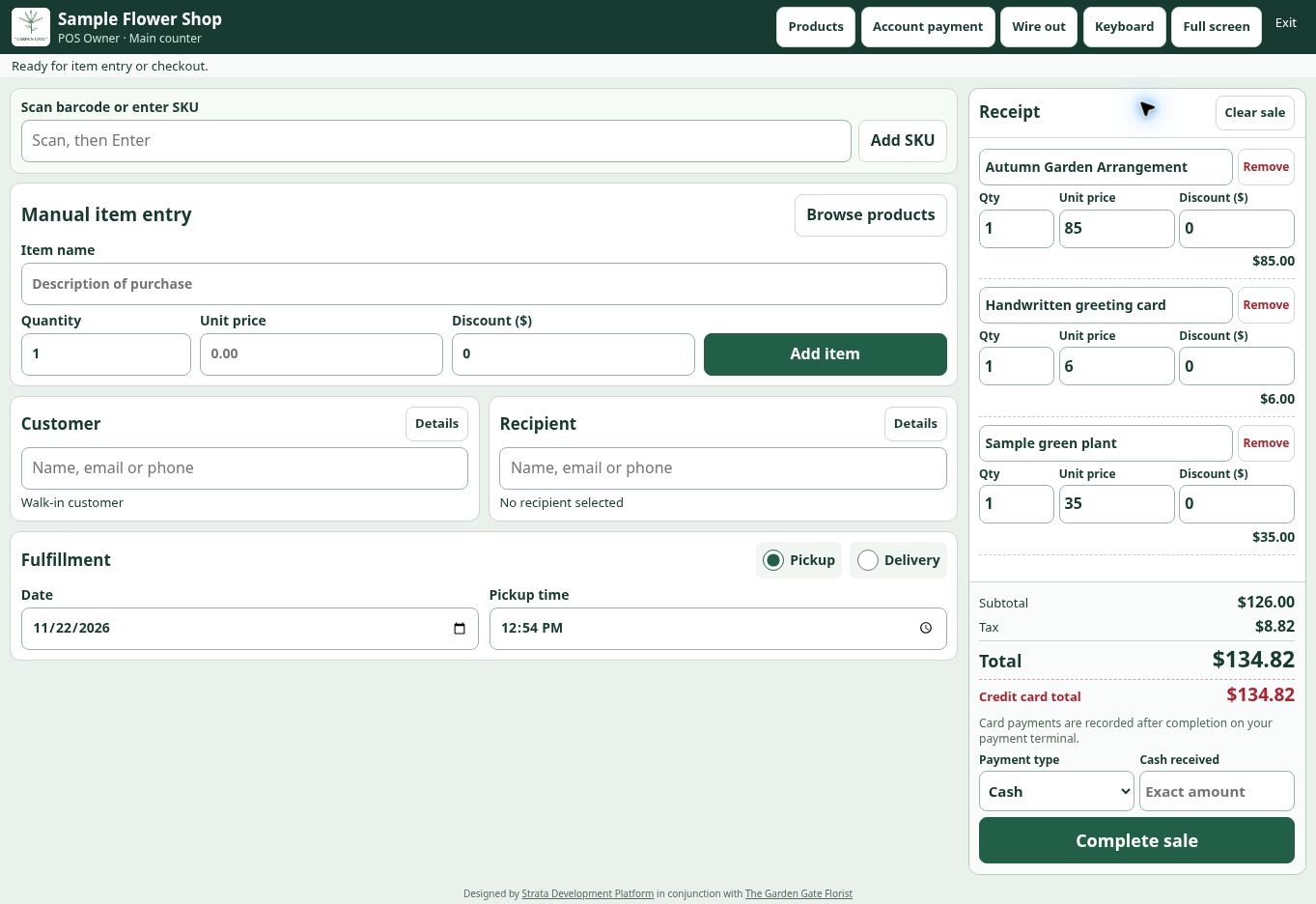
At the design bench
Carry the sender, recipient, card message and delivery date into the current ticket. Find saved recipients and previous messages for repeat customers.
Explore this workflow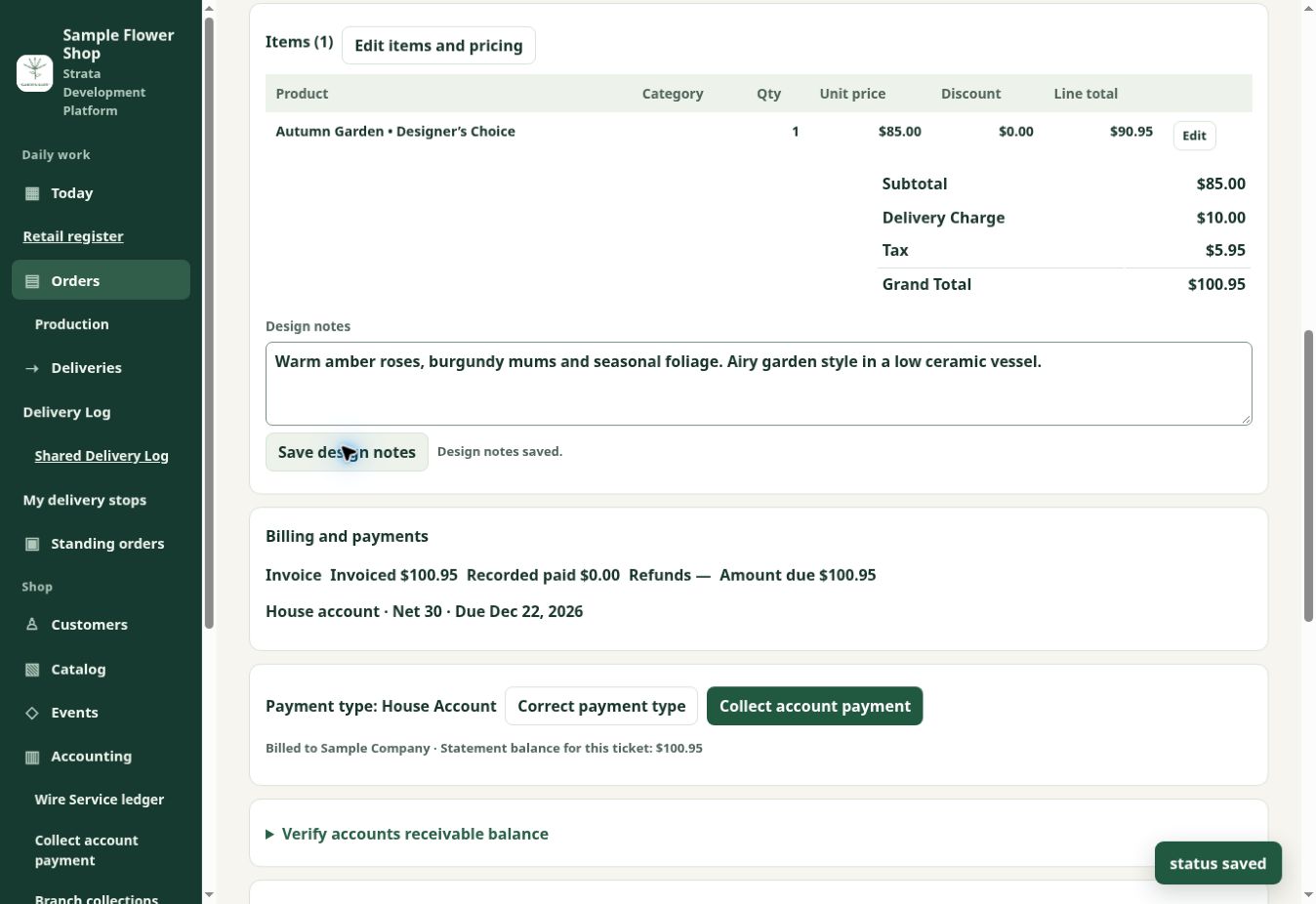
On the road
Record paper-ticket deliveries, notes and the proof actually collected. Return to a branded delivery report and the linked order when the shop needs it.
Explore this workflow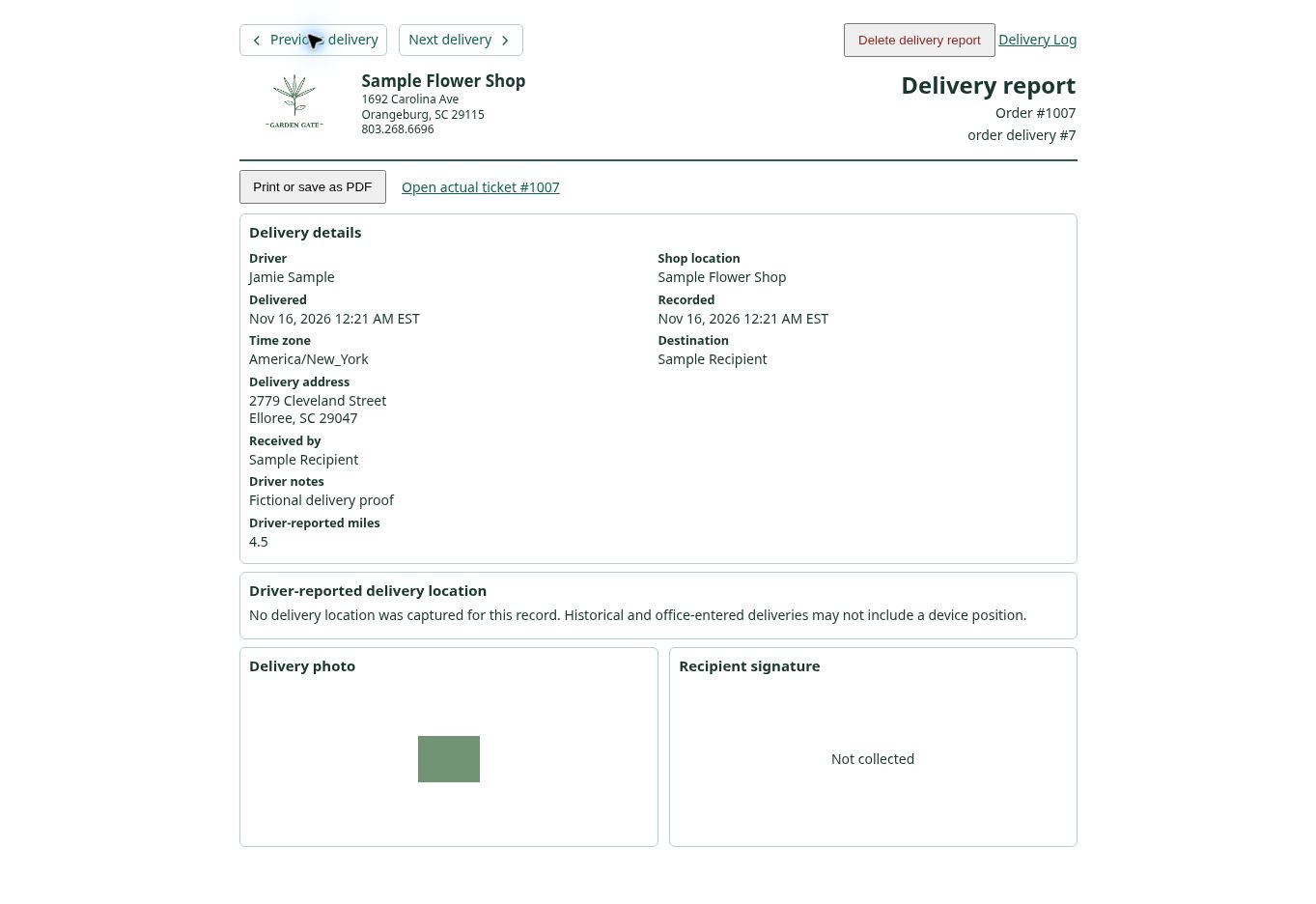
In the office
Find House Accounts, apply partial payments and send statements with unpaid invoice copies. Review collection activity separately from invoice-date sales.
Explore this workflow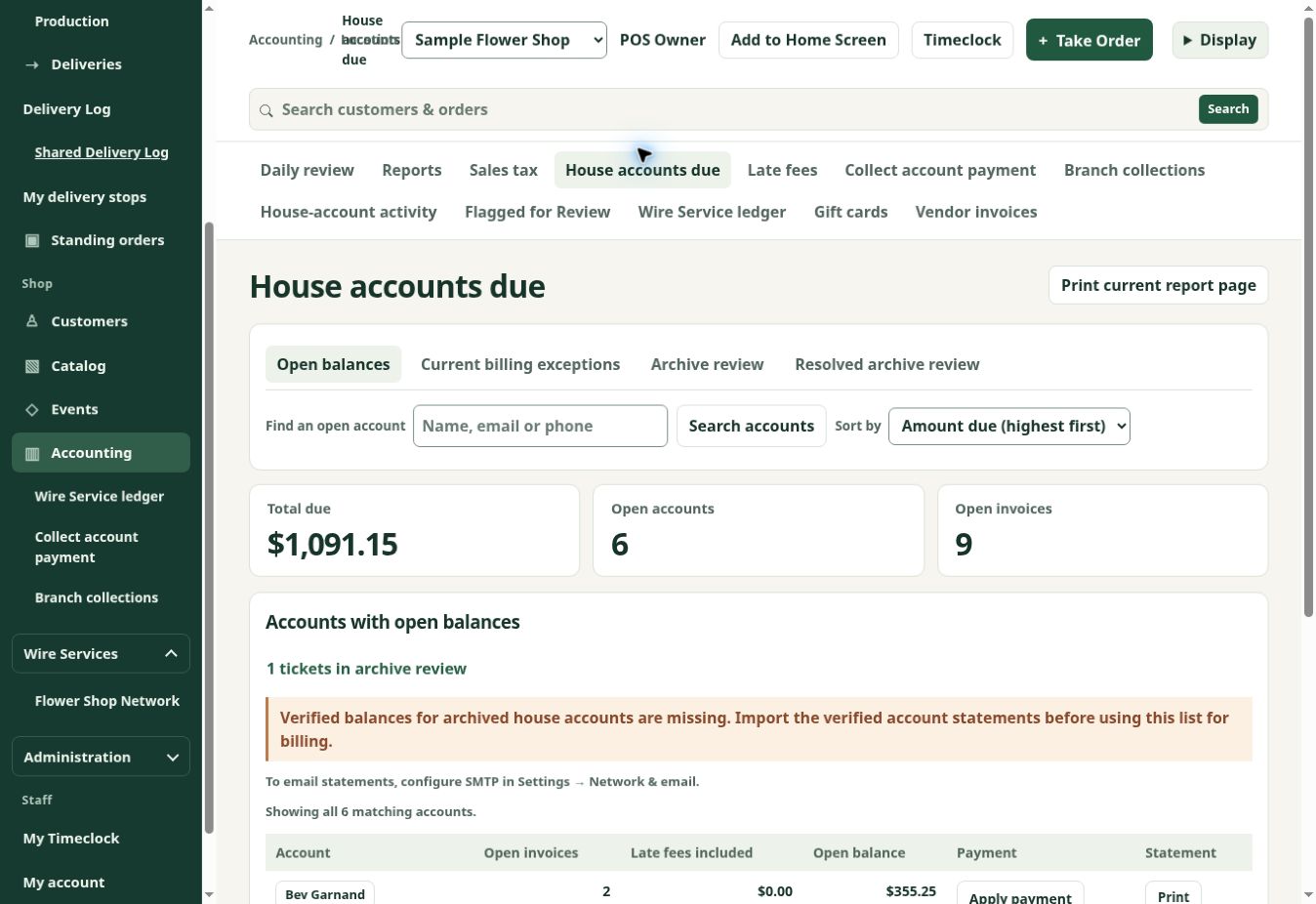
Beyond the sale
Keep the office, shop floor and team working from the same information.
Connected floristry
Review incoming FSN orders, route outgoing work and give designers the provider reference when it is available.
Explore fsn & wire-outsBigger occasions
Build estimates, track consultations and keep client presentation separate from internal preparation.
Explore events & proposalsTime, made visible
Show clock-in/out times and breaks on a Monday–Sunday grid, with weekly and full pay-period totals.
Explore timeclock & payrollTime your team can review
Monday–Sunday grids show recorded clock-in/out times, breaks, weekly hours and pay-period totals. Employees review their own time; authorized staff follow up on corrections.
Explore timeclock and payroll preparation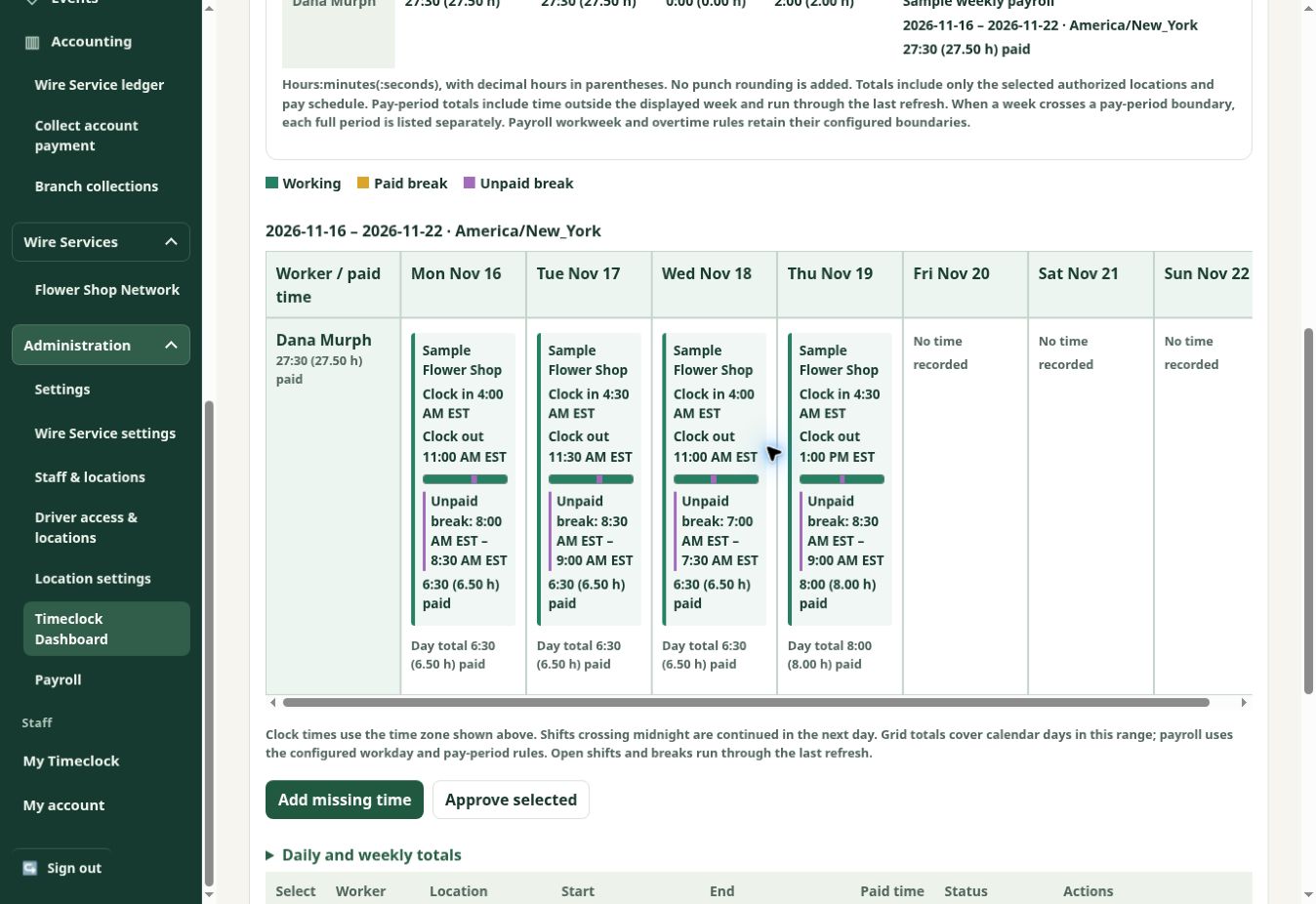
Why we built it
At The Garden Gate Florist in Orangeburg, South Carolina, the work is personal. So are the tools a shop comes to rely on.
We wanted a POS that kept up with the counter, the design bench and the office, without taking useful features away to sell another product. Flower Shop POS grew out of that everyday work.
Developed by Strata Development Platform in conjunction with The Garden Gate Florist.
A promise to your shop
Keep the history your customers count on.
Choose self-hosting or cloud hosting. Plan your move around your customers, orders and payments, with account balances reconciled before cutover.
We won’t remove features your shop depends on to push you into another product.
Both deployment approaches are offered. Self-hosting puts the environment, updates and backups in your hands; managed hosting provides infrastructure support. Contact Strata Development Platform to discuss the shop’s setup and current hosting and support options.
Plan the move using available exports and source documents. Match customers, preserve history and reconcile account balances before cutover. Source access and data quality affect the work; there is no promise of a universal one-click import.
The FSN integration supports incoming order review, alerts and outgoing routing when configured. Staff select products and establish the total before choosing an eligible florist. Live sending requires the shop’s provider credentials and enabled settings.
A little help, right when you need it
Look up a payment, a print setting or a delivery task. Clear steps and real screens, ready when someone at the shop needs a hand.
Come on in
Try an order in the sample shop. See how it feels, then talk with us about your own.